

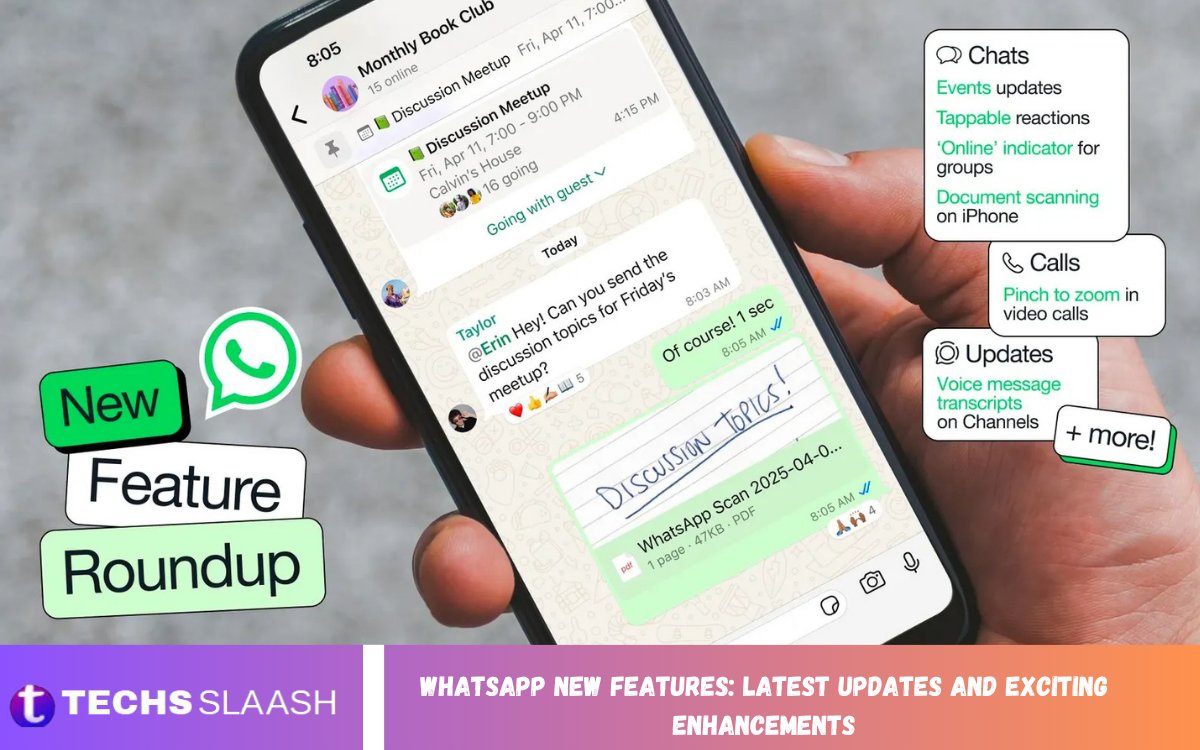
WhatsApp continues to evolve beyond simple messaging, introducing useful tools for communication, privacy, productivity, and everyday convenience. The latest WhatsApp New Features: Latest Updates and Exciting Enhancements focus on making chats more flexible while improving security and the overall user experience.
During 2026, WhatsApp has introduced several notable improvements, including stronger account protection, WhatsApp Web calling, enhanced group chat features, easier storage management, multiple accounts on iOS, AI-powered tools, and better support across devices. Some features are rolling out gradually, so availability can vary by account, platform, and region.
Stronger WhatsApp Account Security
Security is one of the biggest areas of improvement in the latest WhatsApp updates. WhatsApp has upgraded two-step verification from a six-digit PIN to a stronger password that can include letters, numbers, and special characters, providing an additional layer of protection against account takeovers.
WhatsApp has also expanded passkey support, allowing users to verify their identity using a fingerprint, Face ID, or a device screen lock. The company says more than 1 billion people have set up passkeys, and users with Android and iOS devices can add multiple passkeys to their accounts.
Improved Protection From Unknown Callers
Receiving calls from unknown numbers can sometimes be confusing or risky, particularly when scammers use urgency to pressure users into answering. WhatsApp is adding more context for calls from people who are not saved in your contacts.
On Android, users can see information such as whether an unknown number is associated with another country and whether they share groups with the caller. This extra information can help users make a more informed decision before answering.
WhatsApp Web Calling Arrives
One of the most useful recent additions is the ability to call directly via WhatsApp Web. Users can make and receive one-to-one and group audio or video calls in their browser without installing a separate desktop application.
WhatsApp Web calling also supports features such as screen sharing, reactions, call history, and a dedicated Calls tab. Calls remain end-to-end encrypted, helping users maintain the privacy expected from WhatsApp while communicating from a computer.
Call Transfer and Better Calling Experience
WhatsApp has also been improving how users manage calls across devices. Features such as call transfer make it easier to move a conversation between supported devices without unnecessarily interrupting communication.
Background noise suppression is another useful enhancement for calls, especially when users are communicating from busy environments. Together, these improvements make WhatsApp more practical for personal conversations, remote work, online meetings, and family communication.
New Features for WhatsApp Group Chats
Group conversations are receiving more attention with new tools designed to make them easier to organize and personalize. Member tags allow people to identify their role within individual groups, which can be particularly useful for communities, clubs, teams, and family groups.
WhatsApp has also introduced text stickers and improved event reminders. Users can turn words into stickers through Sticker Search, while group events can include customized early reminders to help participants remember important activities and appointments.
Easier Storage and Chat Management
Managing WhatsApp storage has become simpler with new tools for removing unwanted files. Users can find large files directly within individual chats and delete unnecessary media without having to remove the entire conversation.
This approach is useful for people who have years of photos, videos, documents, and other media stored in WhatsApp. Instead of clearing everything, users can keep important messages while removing large files that consume valuable device storage.
Multiple WhatsApp Accounts on iPhone
Managing separate personal and professional accounts is becoming easier on iOS. WhatsApp now supports two accounts on the same iPhone, allowing users to maintain separate conversations without carrying two phones.
This feature can be particularly convenient for people who use WhatsApp for both family communication and work. Users can switch between accounts while keeping their conversations organized, and WhatsApp displays the profile picture in the bottom tab to help identify the active account.
Read Also: Instagram Login Problems: Common Issues and Effective Solutions
Cross-Platform Chat Transfer
Changing smartphones no longer has to mean leaving important WhatsApp conversations behind. WhatsApp has expanded its chat-transfer capabilities to support moving chat history from iOS to Android, as well as transfers within the same platform.
The feature can transfer conversations, photos, and videos, making moving between devices more convenient. It is especially useful for users who regularly change operating systems but want to preserve their messaging history.
AI-Powered WhatsApp Features
Artificial intelligence is becoming an increasingly important part of the WhatsApp experience. New AI capabilities include photo touch-ups and Writing Help, which can assist users in improving or drafting messages based on conversations.
Meta AI can also help users generate ideas, answer questions, and learn about different subjects through WhatsApp. Availability of AI features can vary, so not every account will necessarily have access to every capability at the same time.
Private AI Conversations With Incognito Chat
Privacy is also being considered as AI becomes more integrated into messaging. WhatsApp introduced Incognito Chat with Meta AI, designed to provide a temporary and private environment for interacting with AI.
According to Meta, these conversations are processed in a secure environment and are not saved by default, allowing users to explore questions and ideas without making the interaction part of their normal chat history. The feature is being rolled out gradually.
Better iPad and Car Integration
WhatsApp is also expanding beyond traditional smartphone use. Users can create a WhatsApp account directly on an iPad, rather than being required to link the account to a phone during setup.
WhatsApp has additionally refreshed its CarPlay and Android Auto experience. Drivers can use supported vehicle interfaces to hear and respond to messages, make calls, view call history, and access favorites while keeping communication more hands-free.
PDFs and Music Sharing Get New Options
Sharing and working with documents is becoming more convenient. WhatsApp now allows supported users to open PDFs directly within the application without downloading them first, with lightweight editing options such as highlighting and annotation available through the web and desktop experience.
Music sharing has also received attention. Users can share songs from services such as Apple Music or Spotify to their WhatsApp Status, giving contacts a quick way to discover what someone is listening to.
WhatsApp Channels Continue to Evolve
WhatsApp Channels provide a separate way for organizations, creators, and public figures to distribute updates to followers. Unlike normal conversations, channel communication is primarily one-way, with followers interacting through reactions and polls rather than directly replying to administrators.
Channels are located within the Updates section, keeping broadcasts separate from personal conversations and calls. This makes the feature useful for following announcements, news, creators, organizations, and other sources without filling the main chat list with broadcast messages.
Keeping WhatsApp Updated
Getting the latest WhatsApp New Features generally starts with keeping the application updated through the appropriate app store. WhatsApp’s help information explains that automatic updates can help users stay current with new features and bug fixes.
However, installing the newest version does not necessarily mean every feature will appear immediately. WhatsApp explains that new or updated features can take time to become available to everyone, meaning two users with similar devices may temporarily see different features.
WhatsApp Compatibility Updates
Device compatibility is another important consideration for users who want to continue receiving WhatsApp updates. WhatsApp currently lists Android 5.0 and newer and iOS 15.1 and newer as supported versions, with upcoming minimum-version changes scheduled for September and November 2026 respectively.
Users with older devices should therefore check their operating system before assuming a missing feature is caused by an application problem. Keeping the phone’s operating system and WhatsApp application updated can help ensure optimal compatibility with newer features.
What These Updates Mean for Users?
The latest WhatsApp improvements show a clear shift toward making the platform more than a traditional messaging service. Security enhancements protect accounts, calling improvements make communication more flexible, and AI tools introduce new ways to create, edit, and interact with information.
At the same time, storage management, multiple accounts, group tools, cross-platform transfers, and improved device integration address everyday problems users experience. The result is a WhatsApp experience that is increasingly designed around communication across different situations, devices, and needs.
Frequently Asked Questions
What are the latest WhatsApp New Features?
Recent updates include stronger two-step verification, passkeys, unknown-caller context, WhatsApp Web calling, improved group features, storage management, multiple accounts on iOS, AI tools, and cross-platform chat transfer.
Can I make WhatsApp calls from WhatsApp Web?
Yes. WhatsApp has introduced audio and video calling on WhatsApp Web, including one-to-one and group calls, with these features available directly in the browser.
Does WhatsApp support two accounts on iPhone?
Yes. WhatsApp has introduced support for two accounts on the same iPhone, making it easier to separate personal and professional communication.
What are WhatsApp passkeys?
Passkeys allow users to verify their WhatsApp account with methods such as a fingerprint, Face ID, or device screen lock instead of relying solely on traditional verification methods.
Can WhatsApp transfer chats from iPhone to Android?
WhatsApp’s updated chat-transfer feature supports moving chat history from iOS to Android, including conversations and media.
What is Incognito Chat with Meta AI?
Incognito Chat is designed as a private, temporary way to interact with Meta AI. Meta says these conversations are processed securely and disappear by default.
Why can’t I see a new WhatsApp feature?
Features are often rolled out gradually. WhatsApp states that some users may receive new or updated features before others, even when they are using supported devices.
Can WhatsApp help manage storage?
Yes. Users can manage large files within individual chats and remove media without necessarily deleting the entire conversation.
What new features are available for WhatsApp groups?
Recent group improvements include member tags, text stickers, and customizable early reminders for group events.
How can I get the latest WhatsApp updates?
Keep WhatsApp updated through your device’s official app store and ensure your phone uses a supported operating system. Automatic updates can also help keep the app current.
Conclusion
The latest WhatsApp New Features: Latest Updates and Exciting Enhancements demonstrate how quickly the platform is expanding its capabilities. From stronger security and passkeys to web calling, AI tools, storage controls, group improvements, and multi-device functionality, the newest updates focus on making WhatsApp more useful and adaptable.
As WhatsApp continues rolling out new capabilities, users should keep their application and operating system updated while remembering that feature availability can vary. With its growing combination of communication, productivity, privacy, and AI features, WhatsApp is becoming an increasingly versatile platform for everyday digital communication.

1 Comment
Pingback: WhatsApp Latest Updates: New Features and Enhancements - Techsslaash.com