

Facebook remains one of the world’s most widely used social media platforms, but many people eventually decide that they no longer want to maintain an account. Privacy concerns, excessive notifications, reduced social media use, or simply wanting a fresh digital start can all be valid reasons to leave the platform.
If you have decided to remove your profile permanently, it is important to understand the difference between deactivating and permanently deleting a Facebook account. This guide explains how to Permanently Delete Your Facebook account, including what to do before deletion, how the process works, and what happens afterward.
Understanding Facebook Account Deletion
Permanently deleting a Facebook account means removing your account and associated information from Facebook rather than temporarily hiding your profile. Once the deletion process is completed, you may lose access to your profile, posts, photos, videos, friends, and other account-related information.
Facebook also provides account deactivation as a temporary alternative. Deactivation hides your profile while letting you return later, whereas permanent deletion is for users who no longer want to use the account.
Delete or Deactivate Your Facebook Account
Before choosing permanent deletion, consider whether deactivation might better suit your situation. Deactivation can provide a break from Facebook without immediately committing to permanently removing your account and its information.
Permanent deletion is more appropriate when you are confident that you no longer need the account. If you have important photographs, messages, posts, or other information stored on Facebook, make a copy before deleting to prevent unnecessary data loss.
Things to Do Before Deleting Facebook
Before you start the deletion process, review your Facebook account and identify anything you want to keep. Photos, videos, posts, contacts, messages, and other personal information may be difficult or impossible to recover after permanent deletion.
Also check whether you use Facebook to sign in to other websites or applications. If Facebook is connected to external services, change those login methods before deleting your account to avoid accidentally losing access to other accounts.
Download Your Facebook Information
Facebook provides tools that allow users to obtain a copy of information associated with their account. Downloading your information before deletion can help you preserve photos, posts, videos, messages, or other account data.
Review the available information carefully and select the categories you want to preserve. Depending on your account and Facebook’s available settings, you may be able to customize the information, date range, and format before requesting your download.
How to Permanently Delete Your Facebook Account
To begin the deletion process, sign in to your Facebook account and open the account settings area. Look for the section related to account ownership, control, or account deactivation and deletion, where Facebook provides options for managing the account.
Select the option for Delete Account rather than Deactivate Account. Facebook may display information about the consequences of deletion and ask you to confirm your decision before continuing.
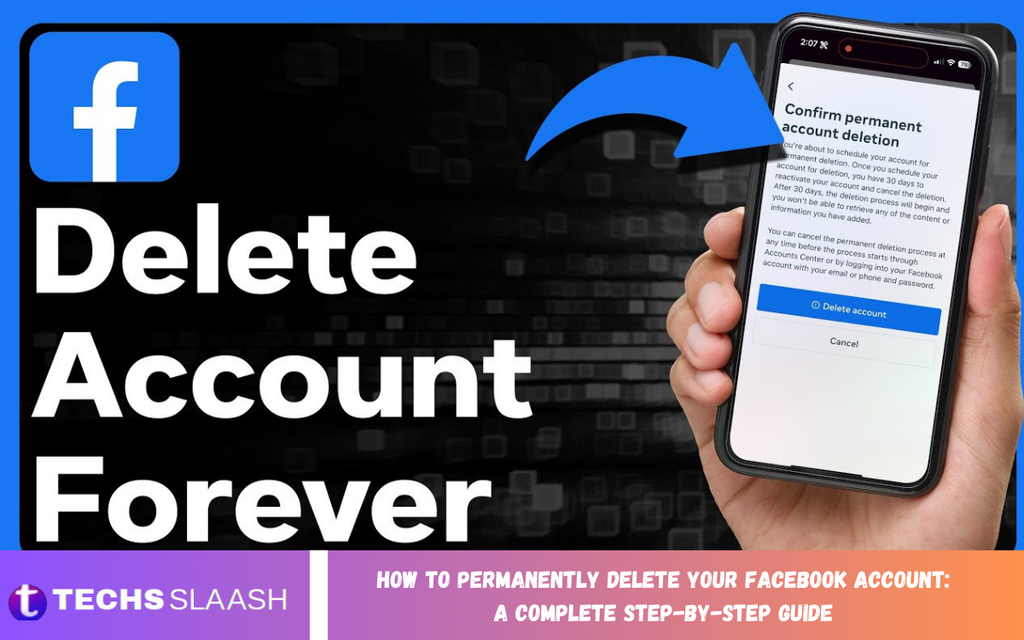
Confirm Permanent Account Deletion
After selecting account deletion, Facebook may request your password or additional confirmation to verify that you are authorized to make the change. Follow the on-screen instructions and review the information carefully before confirming.
Once you confirm the deletion request, Facebook may provide a cancellation period during which you can change your mind. If you are certain about deletion, avoid logging back into the account, because account activity during the cancellation period may affect the deletion process.
What Happens After Facebook Deletion?
After the deletion process is completed, your Facebook profile should no longer be available for normal use. Facebook’s deletion procedures and retention policies apply to your account information, profile content, and other associated data.
Some information may not disappear immediately from every system or location. Certain records may be retained for legal, security, or operational reasons, while messages you sent to others may remain visible to recipients depending on how Facebook handles the information.
Read Also: How to Delete Your Instagram Account: A Complete Step-by-Step Guide
Facebook Messenger After Account Deletion
Deleting your Facebook account also affects your ability to use Messenger through that account. If Messenger is connected to your Facebook account, permanent Facebook deletion generally means you will no longer be able to use that account for Messenger.
Before deleting Facebook, consider whether you need copies of important Messenger conversations or information. Also save important contact details separately if you want to keep communicating with people you previously contacted through Facebook.
Facebook Login and Connected Apps
Many users connect Facebook to applications, games, websites, and other online services. If you permanently delete your Facebook account without reviewing these connections, you could potentially lose access to services that rely on Facebook Login.
Before deleting your account, review the connected apps and services and determine whether alternative login options are available. Update those accounts with an email address, password, or another supported authentication method, as needed.
Why Do People Permanently Delete Facebook?
There are many reasons why someone might choose permanent Facebook deletion. Some users want greater control over their online presence, while others may feel that social media consumes too much time or creates unnecessary distractions.
Privacy can also matter. Removing an account can reduce your ongoing participation on the platform, although deletion should not be viewed as a guarantee that every historical reference or copy of information disappears immediately from every system.
Common Mistakes to Avoid
One common mistake is confusing deactivation with permanent deletion. Deactivation is temporary and lets you return to Facebook, while permanent deletion is for users who want to leave the platform permanently.
Another mistake is deleting an account before saving important information. Take time to review your photos, videos, posts, contacts, messages, and connected applications before confirming deletion. A few minutes of preparation can prevent significant problems later.
Can You Recover a Deleted Facebook Account?
Facebook may offer a limited period to cancel a deletion request. If you change your mind during this period, signing in and following the available cancellation instructions may allow you to stop the deletion process.
After the deletion process is complete, recovering the account may no longer be possible. For this reason, you should treat the confirmation stage seriously and proceed only when you are confident that permanent deletion is the right decision.
Protecting Your Digital Privacy After Deletion
Deleting Facebook is only one part of managing your online privacy. Review other social networks, websites, applications, and online accounts that contain your personal information and consider whether they are still necessary.
It is also useful to review account passwords, privacy settings, app permissions, and old profiles across the internet. Good digital habits can help you maintain greater control over your personal information in the future.
What to Expect During the Deletion Process
The deletion process may not mean that every piece of information disappears instantly. Facebook can require time to process an account deletion request, and some information may remain subject to applicable policies and technical or legal requirements.
Remember that content shared with other users can live on outside your profile. For example, other people may have downloaded, copied, or captured content that you previously shared.
Should You Permanently Delete Your Facebook Account?
Permanent deletion is a personal decision that depends on how you use Facebook and whether you still need the platform. If you rarely use Facebook and have no important connections or information tied to it, deletion may be a practical choice.
If you are uncertain, deactivation can let you step away without committing to permanent removal. Consider your needs carefully and choose the option that best matches your long-term goals.
Frequently Asked Questions
What is the difference between deleting and deactivating Facebook?
Deactivation temporarily hides your Facebook account and generally allows you to return later. Permanent deletion is intended to remove your account and associated information after the applicable deletion process has been completed.
Can I permanently delete Facebook from my phone?
Yes, you can access Facebook’s account management options through supported mobile devices. Open the Facebook app, go to Account settings, find the Account management or Deactivation and deletion section, and choose Permanent deletion.
Will deleting Facebook delete Messenger?
Permanent deletion of your Facebook account generally affects Messenger access associated with that account. If you have important Messenger conversations or information, consider preserving what you need before starting the deletion process.
Can I cancel Facebook account deletion?
Facebook may provide a limited cancellation period after you request deletion. If you change your mind within the available period, follow Facebook’s instructions for canceling the deletion request.
Will my photos disappear after deleting Facebook?
Photos and other content associated with your account are subject to Facebook’s deletion process. However, deletion may take time, and copies others made or shared may continue to exist outside your account.
Should I download my Facebook information first?
Downloading your information before deletion is recommended if you have valuable photos, videos, posts, messages, or other content you want to keep. Once deletion is completed, recovering this information may not be possible.
What happens to Facebook posts after account deletion?
Content associated with your Facebook account is generally included in the deletion process. However, Facebook may retain some information temporarily or under certain circumstances, and copies made by other users may remain elsewhere.
Can I create another Facebook account after deletion?
Deleting an old Facebook account does not generally prevent you from creating a new account in the future. A new account, however, will be separate from the deleted account and will not automatically restore its previous content.
Does deleting Facebook remove my comments?
Comments and other content connected to your account are generally affected by the account deletion process. How Facebook handles information can depend on its systems, policies, and the context in which the content was shared.
Is permanent Facebook deletion reversible?
Permanent deletion should be considered irreversible once the applicable cancellation period has ended and Facebook completes the deletion process. Make sure you have saved anything important before confirming your request.
Conclusion
Knowing How to Permanently Delete Your Facebook Account: A Complete Step-by-Step Guide can make the process easier and help you avoid common mistakes. Before deleting your account, save important information, review connected applications, and make sure you understand the difference between deactivation and permanent deletion.
If you are confident that Facebook is no longer right for you, follow the account deletion process carefully and avoid unnecessary logins during the cancellation period.

1 Comment
Pingback: How to Change Your Instagram Username: A Complete Step-by-Step Guide - Techsslaash.com