

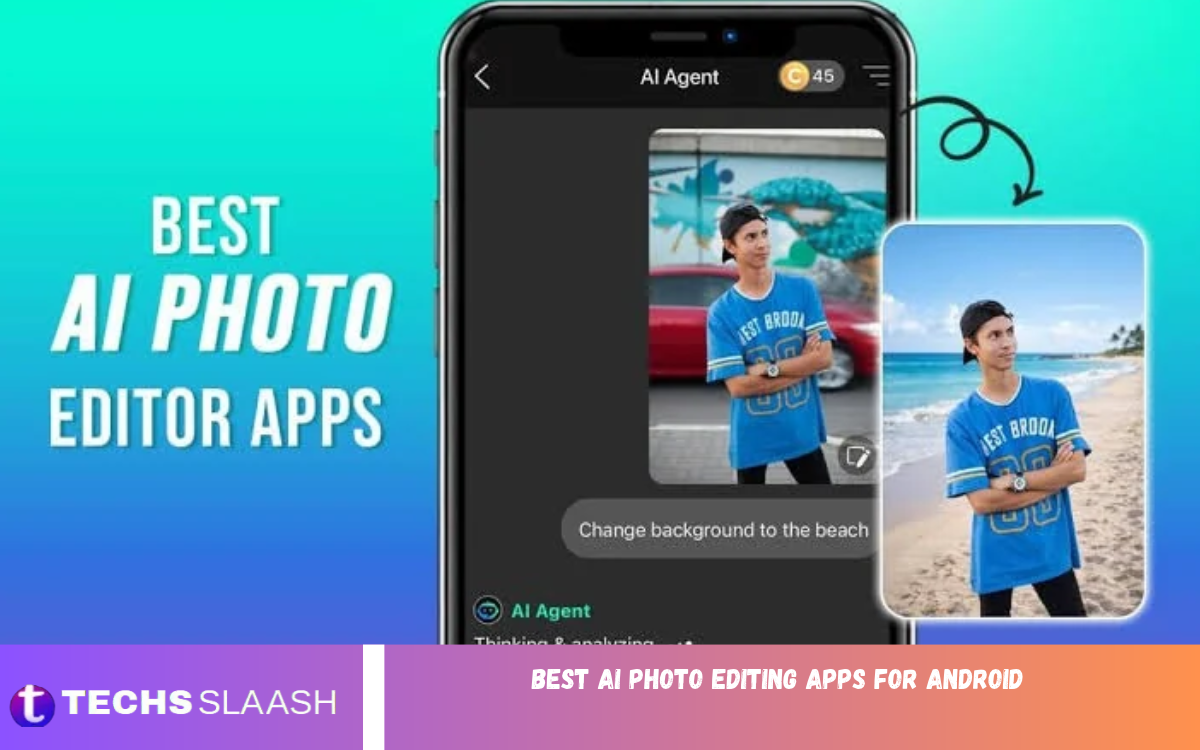
Smartphone photography has become an important part of everyday life. Whether people capture family moments, create social media posts, shoot product photos, or share travel experiences, they want their photos to look polished and professional. Artificial intelligence has made this easier by introducing powerful editing tools that can improve images in just a few taps.
The best AI photo editing apps for Android offer features like automatic image enhancement, background removal, portrait retouching, object removal, and creative filters. Instead of spending hours manually adjusting brightness, contrast, and colors, users can let AI handle many editing tasks. These apps suit beginners, content creators, online sellers, and anyone who wants better-looking photos without complicated software.
What Are AI Photo Editing Apps?
AI photo editing apps use artificial intelligence to analyze images and make editing more convenient. They can recognize faces, identify objects, improve lighting, sharpen details, and separate subjects from backgrounds. Some applications also provide generative tools that can replace unwanted objects, expand images, or create new visual elements.
Unlike traditional photo editors that depend heavily on manual adjustments, AI-powered tools automate many common tasks. Users can select a feature, apply an effect, and review the result within seconds. However, the quality of the final image depends on the original photograph, the app’s capabilities, and how carefully the editing tools are used.
Best AI Photo Editing Apps for Android
The right app depends on your editing goals, experience, and budget. Some apps are designed for professional adjustments, while others focus on quick enhancements, artistic effects, or social media content. The following options offer different features for Android users who want to improve their photography.
Adobe Lightroom
Adobe Lightroom is a popular choice for users who want detailed control over their photographs. Its editing tools include exposure adjustments, color correction, presets, masking, and selective editing. AI-assisted features can help users identify particular areas of an image and make targeted improvements without changing the entire photograph.
Lightroom is especially useful for travel photography, portraits, landscapes, and professional-looking social media content. Beginners can start with automatic adjustments and ready-made presets, while experienced photographers can fine-tune individual settings. Some advanced features require a paid subscription, so users should check which tools are available in the version they choose.
Google Photos
Google Photos is a convenient option for Android users who want to enhance pictures without learning a complicated editing process. Depending on the device, account, and available features, users may have access to AI-powered tools such as Magic Eraser, photo enhancement, portrait adjustments, and other intelligent editing options.
The application is suitable for everyday photography because it combines photo organization with simple editing features. Users can improve pictures, remove certain distractions, and make memories look more polished. Availability of advanced AI tools may vary by region, device, subscription, and rollout, so not every user will see the same editing options.
Picsart
Picsart is designed for creative users who enjoy experimenting with photographs, graphics, and digital artwork. Its editing features include background removal, filters, stickers, text overlays, effects, and various AI-powered tools. These options make it useful for producing colorful social media posts, promotional images, profile pictures, and creative compositions.
One of Picsart’s strengths is its combination of conventional editing and artistic customization. Users can transform an ordinary photo into a more expressive design without switching between multiple apps. Some AI features and premium assets may require payment, and users should review the export settings to ensure their finished images meet their intended quality requirements.
Snapseed
Snapseed is a strong choice for people who want a straightforward photo editor with detailed manual controls. It offers tools to adjust brightness, contrast, white balance, perspective, sharpness, and selected areas of an image. Although it isn’t primarily an AI image generator, its selective editing and automatic correction tools help users improve photos efficiently.
The app works well for people who prefer natural-looking results over heavy filters. It is particularly useful for correcting exposure, enhancing landscapes, and balancing portraits. Its clean editing interface also makes it approachable for beginners who want to learn basic photography adjustments without paying for a subscription.
Canva
Canva is particularly useful for users who edit photos for social media, websites, presentations, and online businesses. Alongside templates and graphic design tools, it offers AI-assisted features that can help users remove backgrounds, adjust images, erase selected elements, and create polished visual content, depending on the plan and current feature availability.
The application is a practical option for bloggers, digital marketers, students, and small business owners. Users can combine photographs with headlines, logos, shapes, and other design elements to create professional-looking graphics. Canva is not only a photo editor but also a complete design platform, although some advanced AI tools and premium resources may require a paid plan.
PhotoRoom
PhotoRoom is especially helpful for online sellers, entrepreneurs, and content creators who need clean product photographs. Its background-removal technology separates a product from its surroundings and places it on a plain, colorful, or custom background. This makes it easier to create consistent product images without setting up a professional photography studio.
The app can also help users create promotional graphics and product listings for online stores and social media. Its workflow is designed to reduce the time required to edit multiple images. Free access and paid features may differ, so users should review export options, branding restrictions, and subscription details before using it for regular business.
Remini
Remini is known for AI-powered photo enhancement, especially for blurry, low-resolution, or older photographs. Its enhancement tools can improve perceived sharpness and facial details, making it useful for restoring images that look unclear or lack definition. Results are especially noticeable when the original photo contains recognizable facial features.
However, AI enhancement does not always reproduce the original details accurately. When the source image is heavily blurred or damaged, the app may generate or alter facial features. Users should compare the edited result with the original and avoid treating AI-generated details as historically accurate, especially when restoring important family photographs or documentary images.
Facetune
Facetune focuses on portrait editing and personal photography. Its tools can help users adjust lighting, refine skin appearance, enhance facial details, and make selected changes to selfies. Depending on the available version, AI-assisted features may also simplify portrait improvements that would otherwise require several manual adjustments.
The application is useful for people who regularly post selfies, beauty content, or professional profile photographs. For the most natural results, subtle adjustments are generally better than excessive smoothing or reshaping. Users should remember that edited portraits can create unrealistic expectations about skin texture and appearance, so it’s important to keep editing balanced.
YouCam Perfect
YouCam Perfect offers portrait enhancement, beauty filters, background editing, and various creative effects. Its tools are designed to help users improve selfies and personal photographs without needing advanced editing knowledge. AI-assisted features can make certain tasks faster, particularly when adjusting faces, removing distractions, or applying consistent visual effects.
The app can help casual photographers get attractive results for messaging apps and social media. Users can experiment with different filters and adjustments before saving their final images. Some features may be restricted to premium plans, so check privacy settings before uploading personal photos to cloud-based editing services.
Pixlr
Pixlr offers accessible photo editing tools for Android users who want to enhance images and create creative designs. Depending on the version, its features may include automatic adjustments, filters, overlays, background editing, and AI-assisted image tools. Its combination of basic corrections and creative effects makes it suitable for a wide range of everyday photography tasks.
The application can be a useful starting point for users who want to experiment with different visual styles. It supports quick edits for social media posts, personal pictures, and simple promotional graphics. Before committing to a workflow, check current features, ads, subscription options, and image export settings.
How to Choose the Best AI Photo Editing App
The best app depends on the types of photos you edit most often. Lightroom is a good choice for detailed color correction, Google Photos works well for everyday image management, and Picsart offers creative editing options. PhotoRoom is especially practical for product photography, while Remini is worth considering to enhance older or blurry images.
It is also important to consider your phone’s performance, available storage, privacy preferences, and budget. Some applications process images on your device, while others rely partly on cloud services. Review an app’s requested permissions and privacy policy before uploading sensitive photos. If you need advanced features regularly, compare subscription prices and export limits before deciding.
Benefits of Using AI Photo Editing Apps
One major advantage of AI photo editing is convenience. Tasks that previously required experience and several manual adjustments can often be completed in a few steps. Automatic enhancement, subject selection, and background removal save time for frequent content creators or those managing large photo collections.
AI editing also gives beginners access to creative tools that were once difficult to use. Users can improve product images, prepare profile pictures, restore older photographs, and produce attractive graphics using a smartphone. Nevertheless, AI should be treated as an editing assistant rather than a guarantee of perfect results. Reviewing the final image helps prevent unnatural details, distorted edges, and excessive color adjustments.
Read Also: Best free Android apps for students in 2026
Tips for Getting Better Results With AI Photo Editors
Start with the highest-quality original image available. Good lighting, a clean composition, and sharp focus give AI tools more information to work with, often producing better results than trying to repair a severely damaged photo. Whenever possible, keep an original copy so that you can compare the edited image and make changes without losing the source.
Avoid applying too many filters or enhancement effects at once. Excessive sharpening, artificial skin smoothing, and oversaturated colors can make photographs appear unrealistic. For product photography, keep colors accurate; for portraits, preserve natural skin texture; and for social media images, keep the subject clear even on a small screen.
Are AI Photo Editing Apps Free?
Many AI photo editing apps offer free versions with basic editing tools. Apps like Snapseed are useful for users who want extensive editing without a recurring subscription, while others may offer a limited number of free AI edits or reserve advanced tools for premium plans.
Free access doesn’t always mean every feature is available without limitations. Some applications may include advertisements, watermarks, usage limits, or paid export options. Before choosing an editor, check its current pricing and terms in the Google Play Store. This helps you balance editing quality, convenience, and cost.
Are AI Photo Editing Apps Safe to Use?
Well-established editing applications can be useful, but users should still pay attention to privacy and security. Download apps from trusted sources, check developer information, and avoid granting permissions that are unrelated to the editing features you use. Read the privacy policy to understand how photographs and other personal information may be processed or stored.
Be particularly careful when editing private portraits, identity documents, or photographs of children. If an application uploads images to online servers, consider whether you are comfortable with its data practices. You should also avoid using AI edits to misrepresent evidence, impersonate others, or create misleading images that could harm someone’s reputation.
Best AI Photo Editing Apps for Different Needs
No single application works best for every user. The most suitable choice depends on whether you want professional color adjustments, natural portrait enhancement, creative designs, or clean product images. Choosing an app based on your main goal will help you avoid unnecessary features and complicated editing workflows.
For professional-looking photography, Lightroom is worth exploring. For quick edits, Google Photos is convenient when it has the features you need. Picsart and Canva suit creative content, PhotoRoom helps with product photography, and Remini focuses on image enhancement. Trying the free tools first is a practical way to find the interface and editing style that suits you best.
Frequently Asked Questions
What is the best AI photo editing app for Android?
Adobe Lightroom is a strong option for detailed photo editing, while Google Photos is convenient for everyday improvements. The best choice depends on whether you prioritize professional adjustments, creative effects, portrait retouching, or background removal.
Which AI photo editor is free for Android?
Snapseed offers a broad selection of photo editing tools without a subscription. Other apps offer free versions, though some advanced AI features may require payment or have usage limits.
Which app is best for removing photo backgrounds?
PhotoRoom is particularly useful for removing backgrounds from product images and creating clean promotional photographs. Picsart and Canva also provide background-editing tools, depending on their current features and plans.
Which AI app can improve blurry photos?
Remini is known for enhancing blurry and low-resolution images. Results vary depending on the original photo, and heavily blurred images may include AI-generated details that don’t accurately represent the original scene.
Which app is best for editing selfies?
Facetune and YouCam Perfect are popular selfie-editing choices. Both focus on portrait improvements and beauty effects, letting users adjust their photos with little effort.
Can AI photo editors make pictures look professional?
Yes, AI-assisted tools can improve lighting, colors, sharpness, and backgrounds. However, professional results also depend on image quality, composition, appropriate adjustments, and careful review of the final photo.
Do AI photo editing apps require an internet connection?
Some basic editing tools work offline, while cloud-based AI features may require an internet connection. Requirements vary by application and feature, so check the app’s specifications before relying on offline access.
Are AI photo editing apps safe for private pictures?
Safety depends on the application, its permissions, and its data-handling practices. Choose trusted developers, review privacy policies, and be cautious about uploading sensitive images to online editing services.
Can I use AI-edited photos for commercial purposes?
Some edited photographs can be used commercially, but the rules depend on the original image, the app’s terms, any included assets, and applicable laws. Review the relevant licenses before using images in advertisements, product listings, or client projects.
Which AI photo editing app is best for beginners?
Google Photos is convenient for simple everyday edits, while Snapseed helps you learn practical photo adjustments. Beginners can start with automatic enhancements and gradually explore more advanced tools as their editing skills improve.
Conclusion
The best AI photo editing apps for Android make it easier to transform ordinary photographs into polished, attractive images. From Lightroom’s detailed adjustments and Google Photos’ convenient editing features to PhotoRoom’s background removal and Remini’s image enhancement, each application serves a different purpose.
Before choosing an editor, consider your photography goals, budget, privacy requirements, and the features you actually need.

1 Comment
Pingback: Best Android Apps for Low-Storage Phones - Techsslaash.com