

Bad video footage used to mean one thing: scrap it and reshoot. If a clip was too dark, too shaky, or captured at a resolution that looked acceptable on a phone screen but fell apart on anything larger, your options were limited. You could try to salvage something in post, accept the lower quality, or go back to the location.
AI video enhancement has changed the math on this significantly. The gap between “good enough to use” and “not usable” has narrowed, and footage that would have been discarded a few years ago can now be processed into something that actually holds up.
What AI Video Enhancement Actually Does
The term covers several distinct improvements, and it helps to separate them because they solve different problems.
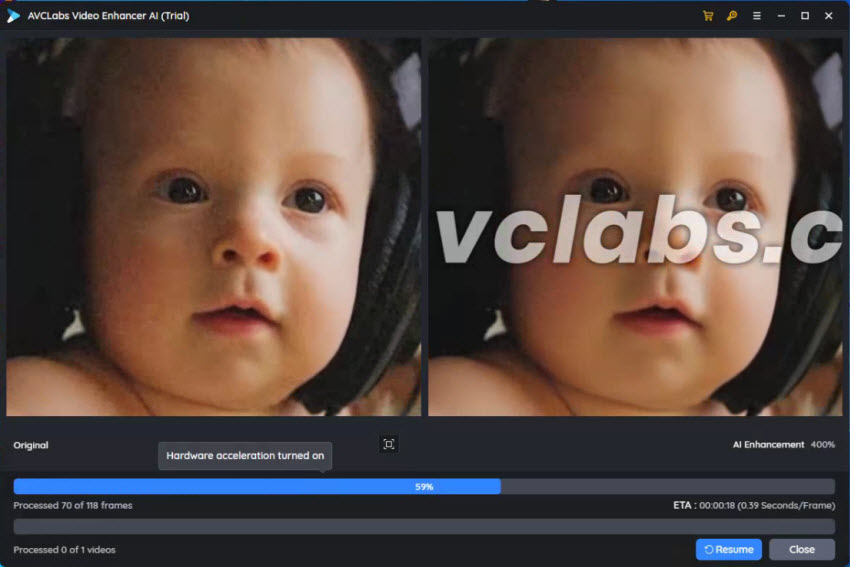
Resolution upscaling takes video captured at lower resolutions and produces output at higher ones. Unlike older upscaling that simply stretched existing pixels, AI upscaling analyzes the content of each frame and synthesizes additional detail that’s consistent with the original. A clip shot at 1080p that needs to work in a 4K timeline can be upscaled without the soft, smeared look that used to make this approach obvious.
Noise and grain reduction is particularly useful for footage shot in low light. Phone cameras and entry-level cameras compensate for low light by raising ISO sensitivity, which introduces digital noise into the image. AI denoise algorithms distinguish between the noise and the actual image detail and remove the former while preserving the latter. The results are significantly cleaner than traditional noise reduction, which tended to produce a waxy, plastic look on skin and surfaces.
Stabilization smooths out camera shake. Optical stabilization in cameras works during capture; AI stabilization works on footage you already have. The AI analyzes frame-to-frame motion and compensates for unintended camera movement while preserving intentional motion in the scene.
Frame rate enhancement generates intermediate frames to increase the apparent smoothness of video. Footage shot at 24fps can be processed to appear as though it was captured at 60fps. This is useful for sports and action content, where the higher frame rate reduces motion blur and makes fast movement easier to follow.
The Practical Use Cases
Archival and historical footage: Old event recordings, interview footage from years ago, family videos captured on outdated equipment. These are frequently requested for use in anniversary content, retrospectives, or tribute pieces, and they often exist only in low resolution with significant noise and compression artifacts. AI enhancement can bring this material up to a standard that works in modern contexts without looking processed.
Phone footage in professional contexts: Most social media content is shot on phones, but the use cases for that content have expanded. Clips captured casually might end up in a YouTube video, a brand reel, or a presentation. The inconsistency between phone footage and higher-quality material in the same piece is usually visible and distracting. Enhancement reduces that gap.
Indoor and low-light event recording: Conferences, workshops, performances, indoor sports. These are consistently challenging environments for video, and the footage often looks acceptable at the time but disappoints on review. Noise reduction and exposure correction can rescue a lot of this material.
Travel content: Footage captured in difficult conditions, at unusual times of day, or on older gear. Many travel creators have libraries of clips from trips years ago that they couldn’t use because the quality wasn’t good enough. Enhancement opens up that archive.
Where AI Enhancement Fits in the Editing Workflow
The practical question for anyone editing video is where enhancement fits relative to the rest of the process. The short answer is: before color grading, after your rough cut selection.
You don’t want to enhance every clip in a project, because enhancement takes processing time and some clips won’t need it. The sensible approach is to identify which clips have specific problems during the rough cut stage, apply enhancement to those clips, and then proceed with color grading and finishing. Trying to color grade problematic footage before enhancement makes the color work harder and often means adjusting it again after the fact.
For resolution upscaling specifically, it’s worth noting that enhanced footage will look sharper but won’t magically add detail that wasn’t there in the original capture. Enhancement is most effective when there’s genuine detail in the source footage that’s being obscured by noise or compression rather than detail that was simply never captured.
Picsart’s ai video enhancer handles several of these improvement types and doesn’t require a complex post-production setup to use. For creators working outside of dedicated professional editing environments, having enhancement available as a straightforward tool rather than a technical process is genuinely useful.
Realistic Expectations
AI video enhancement is better than it’s ever been, but it has limits worth knowing.
Very heavily compressed footage, particularly video that’s been through multiple rounds of lossy compression like clips downloaded from social media and re-uploaded multiple times, gives the AI less genuine detail to work with. The enhancement will still produce cleaner output than the input, but the improvement ceiling is lower.
Face and skin detail under heavy noise reduction can still look slightly processed. The improvement compared to unprocessed noise is significant, but if you zoom in to 100% it’s still visible. For web and broadcast viewing this isn’t an issue, but it matters for large-format display.
Motion blur from a slow shutter speed is different from camera shake. Stabilization can address the shake, but motion blur from subjects or cameras moving during the exposure isn’t something that can be fully corrected in post. Setting the right shutter speed during capture still matters.
The Bigger Picture
AI enhancement is part of a broader shift in how video production handles quality problems. The traditional approach was to prevent them through careful shooting. That approach remains valid, but it’s now accompanied by a meaningful ability to correct things after the fact.
For content creators, this means a larger proportion of captured footage is actually usable. For anyone who archives or documents events, it means old footage has a longer useful life. The value of what you’ve already shot goes up.
