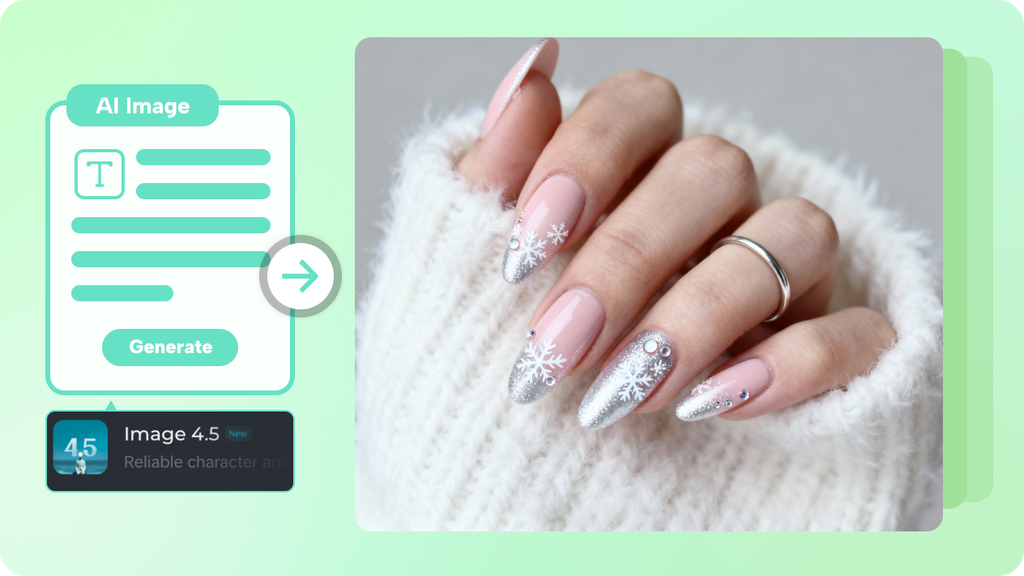
Scrolling through nail inspiration for an hour and still not landing on a design that actually fits your style is one of the most common frustrations in planning a fresh manicure. Dreamina’s AI image generator solves that genuinely well, letting you explore and refine an original nail art concept before ever sitting down in a salon chair.
Dreamina, powered by its advanced Seedream 5.0 Pro image generation model, handles this kind of small-scale, detail-driven design work with real precision. Here’s how to turn a vague idea into a design you can actually bring to your next appointment.
Why visualizing a design first changes the whole experience
Describing a nail idea out loud to a technician often loses something in translation; a “subtle gold accent” can mean wildly different things to different people.
Having an actual visual reference removes that guesswork entirely, letting both you and your nail artist work from the exact same concept.
Current trend directions worth exploring
A few nail art styles have genuinely dominated recent seasons and offer strong starting points:
- Chrome and metallic finishes with a mirror-like reflective quality
- Minimalist line art with delicate, single-stroke detail
- Embedded 3D elements, tiny crystals, pearls, or charms
- Ombré and color-blended gradients across the nail bed
Designing for your actual nail shape and length
A design that looks stunning on a long stiletto shape might not translate cleanly onto a short, rounded nail. Describing your actual nail shape and length in your prompt keeps the generated concept realistic for what you’ll actually be wearing.
Your 3-step manicure reveal with Dreamina
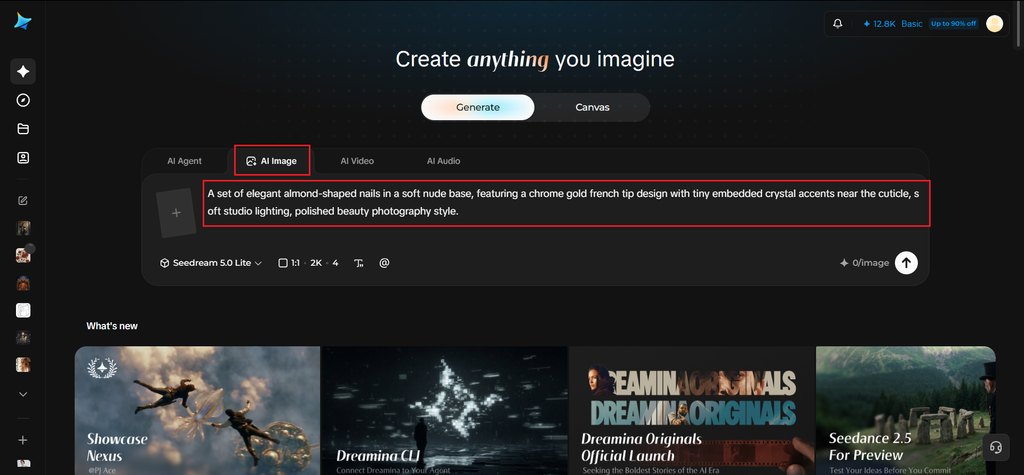
Step 1: Write a text prompt
Navigate to Dreamina and write a detailed text prompt describing your chosen nail shape, base color, and specific design elements you want featured.
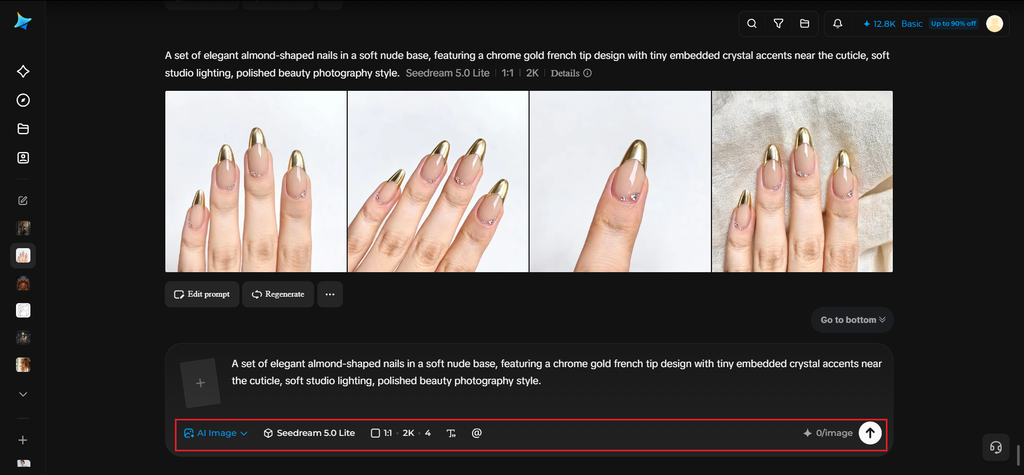
A strong sample prompt might read: A set of elegant almond-shaped nails in a soft nude base, featuring a chrome gold french tip design with tiny embedded crystal accents near the cuticle, soft studio lighting, polished beauty photography style.
Specifying shape, base tone, and exact decorative detail together is what gives you a design concept you can confidently show a nail technician.
Step 2: Adjust parameters and generate
Before generating, set your parameters. Choose your model: Image 5.0 Pro by Seedream 5.0 Pro handles fine metallic and crystal detail particularly well, then select your aspect ratio, image size, and resolution, using a square ratio for a clean close-up study and 2K resolution to preserve fine design detail. Click Dreamina’s generate icon to produce your nail art concept.
Step 3: Customize and download
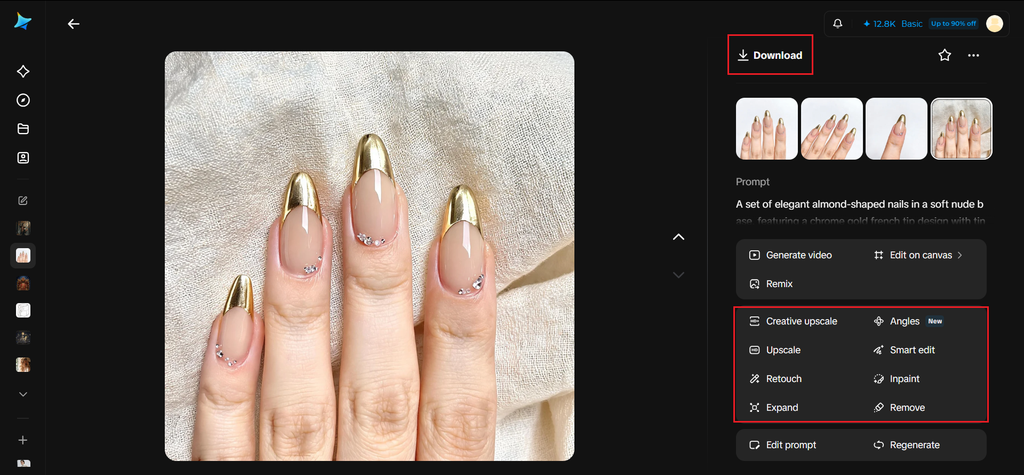
Once your design generates, refine it using Dreamina’s AI customization tools — inpaint to adjust specific decorative elements, expand for a clearer full-hand view, remove to simplify any overly busy detail, and retouch to sharpen overall polish and shine. When the design feels ready to bring to your appointment, click the Download icon to save it.
Testing color variations on the same base design
Once a core design concept feels right, generating a few quick color variations, swapping gold for silver, nude for a bold red, lets you compare options directly before settling on the exact palette you actually want.
Seedream 5.0 Pro and Dreamina’s broader model lineup
As Dreamina’s newest and most advanced image model, Seedream 5.0 Pro offers real strength for this kind of fine, small-scale beauty detail, its pinpoint precision editing allows exact adjustment of a single nail’s accent placement, while its 2K output keeps crystal glints and metallic sheen looking genuinely polished rather than flat.
Beyond Seedream 5.0 Pro, Dreamina also gives access to Nano Banana for quickly testing several design directions at once, and GPT Image 2 for an alternate creative interpretation when you want to compare a genuinely different take on the same concept.
Matching nail art to an upcoming occasion
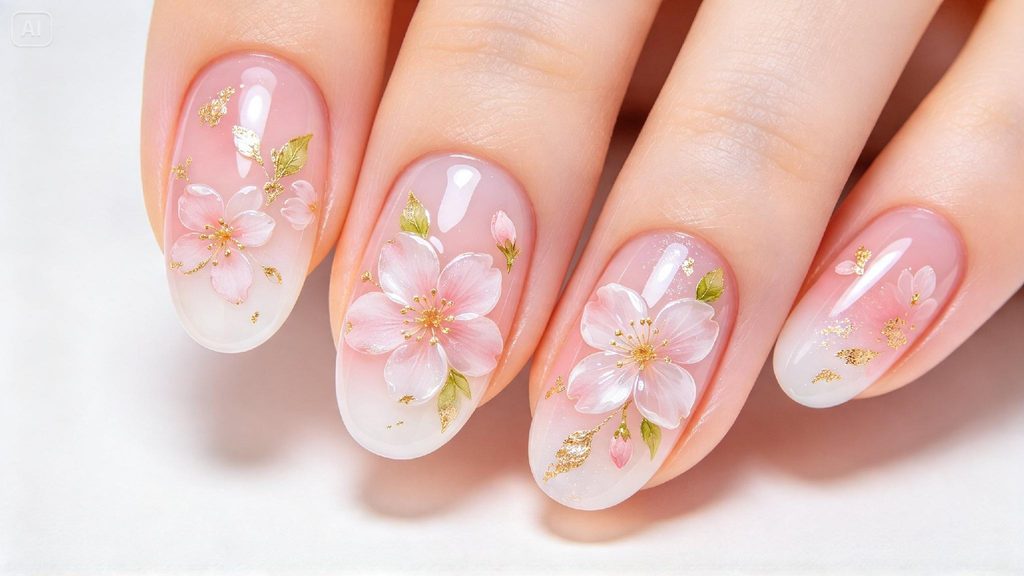
Beyond general trend exploration, describing a specific occasion- a wedding, a holiday party, a vacation, in your prompt helps generate design concepts genuinely suited to that event’s mood, rather than a generic style disconnected from the actual moment you’re dressing up for.
Building a seasonal lookbook of design ideas
Generating a small collection of nail concepts tied to different seasons or holidays creates a genuinely useful personal reference library, giving you fresh inspiration ready to pull from throughout the year rather than starting from scratch at every appointment.
Where custom nail art concepts prove genuinely useful
This kind of visual planning has real value across several contexts:
- Personal manicure planning before salon appointments
- Nail technician portfolios and client consultation tools
- Beauty content creation and social media inspiration
- Special occasion styling, weddings, holidays, events
Final thoughts
The right nail design becomes far easier to commit to once you can actually see it clearly, and Dreamina’s AI image generator makes that kind of confident planning genuinely achievable.
With Dreamina and its advanced Seedream 5.0 Pro image generation model, a vague mental image becomes a polished, specific concept worth bringing to your next appointment.
Describe your shape and style with real detail, explore a few color directions, and let Dreamina help you walk into the salon knowing exactly what you want.