

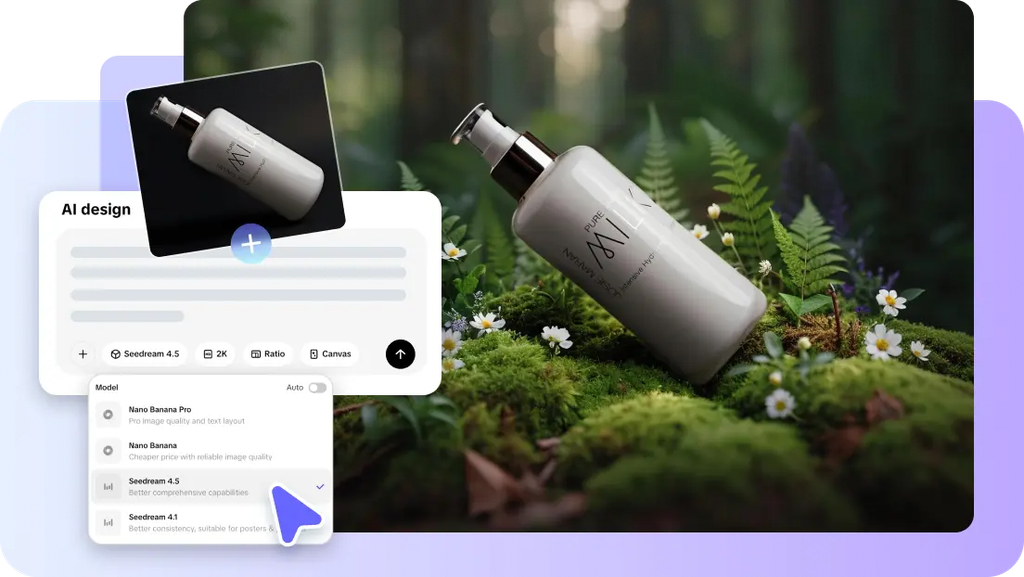
Many visual identities can be used for a single product across campaigns and channels. Backgrounds can shift the mood, context, perceived value, and audience expectations. AI generation covers these directions without having to recreation each scene from scratch. Minimalist, luxury, natural, artistic, futuristic, and seasonal environments are easier to test. Pippit offers a practical work area for creating, perfecting, and exporting different product visuals.
Why Visual Style Changes the Character of an Image
A background has a huge impact on viewer perception of a product prior to reading copy. Minimalist settings convey clarity, simplicity, and modern design. They have limited distractions and restrained surfaces. The use of luxury materials and lighting effects creates a sense of exclusivity and luxury. Elegant textures and top-notch presentation add to that. Nature can evoke the sense of freshness, wellness, sustainability, or authenticity. Unusual textures, compositions, colors, and visual metaphors in artistic scenes invite curiosity. Technology-based spaces connote innovation, precision, digital experiences, and advanced performance. Style should be appropriate for the product category and campaign goal. Beauty products can work with marble, soft light, or botanical surrounds. Structured lighting and futuristic materials can be used in the technology product. Other things like Seedance can also lead to visual thinking about motion. But the background should not be distracting and should support the subject. Contrast, clutter, and decoration can reduce the ability to recognise and communicate clearly.

Explore Different AI-Generated Background Styles
Various background styles can provide different campaign directions from the same source image. Here are some helpful instructions:
- Minimalist: There are no frills, surfaces are clean, colors are limited, soft shadows dominate, and there are few visual distractions.
- Luxury: Marble, refined textures, elegant lighting, premium pedestals, and controlled reflections.
- Nature: Organic surfaces, greenery, water, natural light, credible outdoor atmosphere.
- Creative: Clouds, artistic textures, unusual compositions, surreal details and imaginative visual elements.
- Futuristic: Neon environments, digital structures, metallic surfaces, grids and technological lighting.
- Seasonal: Through visual cues of holidays, weather, occasions, launches, and campaign periods.
Pippit’s AI background generator can revamp a single product image in these creative directions. The form and character of the product should be maintained in each style, and the visual importance of the product should not be lost. Several drafts can be compared before deciding on a direction for a campaign or content series.
Steps to Generate Diverse Style Backgrounds Using AI Background Generator
Step 1: Define the Style You Want to Explore
- Create a Pippit account with your Google, TikTok, or Facebook account information.
- Select the “Home” tab from the left vertical menu bar to reach the background generator.
- Click “+” to upload reference images from your device, phone, Dropbox, or a link. You can also choose assets when you do not have reference media.
- Enter a detailed prompt that describes your preferred background style. Mention the visual theme, atmosphere, composition, and other important details.
- Open “Choose a model” and select a model such as GPT, Seedream, or Nano Banana from the “Image” tab.
- Check your settings and click “Generate”.
Step 2: Explore Different AI Style Drafts
- After selecting “Generate”, Pippit’s AI image generator produces backgrounds using your reference media and text prompt.
- The generator provides 3 to 4 image drafts for review.
- Look through each draft and compare its style, composition, and overall visual direction.
Step 3: Polish Your Preferred Style
- Select the draft that best represents the style you want.
- Improve it with “Draw”, “Inpaint”, “Isolate layers”, “Regenerate”, or “Upscale image” as needed.
- You can also select “Convert to video” to transform the generated image into video content.
- After finishing your edits, click “Download”. Choose JPG or PNG, then click “Download” again to save the image.
How to Write Prompts for Stronger Style Variation
Strong prompts describe the setting prior to the addition of details. The first four things to consider are the setting, surface, spatial arrangement, and product placement. After that, consider materials, colours, lighting direction, shadow quality, atmosphere, and camera perspective. The words that are particular to each style are used to create the desired visual effect. Words such as polished marble, diffused daylight, brushed metal, botanical texture, or neon grid provide more precise instruction. If there are any distracting objects to mention, note when they might obscure product visibility or composition. It is best to prompt with a controlled iteration, not with simultaneous changes. If you change one major variable, produce another version and then compare it. If light is on, but it looks or feels out of place, alter the setting first. Suppose the composition is successful but seems flat; elaborate shadows or the direction of light. Don’t change the product description when comparing different background styles. This way, it is easier to assess the visual differences and minimize accidental changes.
Combine Background Styles With Different Marketing Purposes
Background options should aid the marketing task and not just be decorative in nature. The minimalist styles are good for product listings as they maintain clarity. Luxury surroundings can reinforce high-quality positioning of cosmetics, accessories, jewellery, fashion, and luxurious products. Wellness, beauty, outdoor, organic and environmental products are associated with nature-inspired scenes. Futuristic designs can be used to cover technology, software, electronics, gaming and innovation campaigns. Creative environments can be used to draw in across social posts, launches, and concept-driven advertising. Seasonal backgrounds can help to update product assets for holidays, weather changes, and special occasions. Pippit’s creative workflow is able to link static visuals with movement using a video agent. Align the visual intensity to the audience, platform, message, and product personality. A marketplace image requires different restraint than a social image that is attention-seeking.
Keep Style Diversity Consistent With Product Presentation
Style variation should never be to the point of product unrecognizability. Ensure scale, perspective, placement, and shadows are realistic and consistent across generated versions. In all compositions, the product should be the main focus. Existing product highlights and shadows should be considered when designing background lighting, which should relate to the product in a logical manner. Don’t use props that are too large, bright patterns, too much reflection, or too much ornamentation. This information can distract from key product attributes. When multiple background styles are used in a single campaign, consistency is important. Check the different versions side-by-side before deciding on the best creative direction. Inspect edges, proportions, surface details, color accuracy, and visual balance of the product. When using for commercial purposes, check each image thoroughly before publishing. Refining tools can fix distracting areas while maintaining the selected background concept. When larger visual formats need more detail, upscaling can help to improve clarity.
Conclusion
AI-generated Backgrounds provide a wider range of creative possibilities without the need to start each product scene from scratch. Mood, positioning, context, and campaign relevance can be transformed by different styles. Each direction is easier to control, compare, and refine with clear prompts. Supporting this process are generation, editing, refining, animating, and exporting capabilities in Pippit. Good results are a mix of creativity, realism, and product visibility.
