

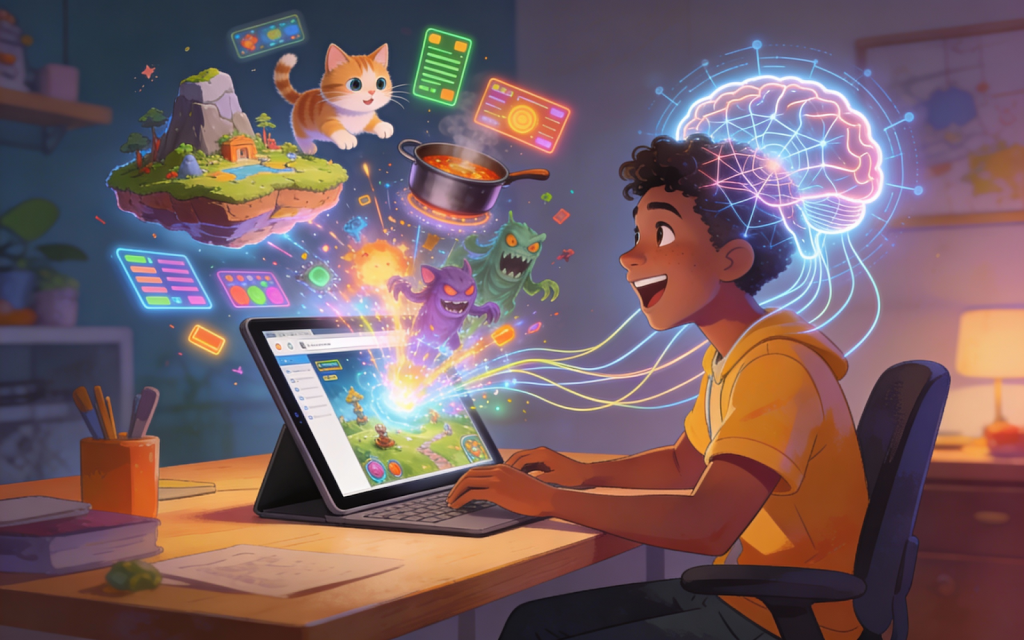
Hey, if you’ve ever had a game idea pop into your head, like a quirky endless runner with floating islands, a cozy puzzle adventure with talking cats, or a silly cooking chaos game, but thought, “I can’t code, so it’s impossible,” stop right there. In 2026, you don’t need to learn programming to make your idea real and playable. Tools exist now that let regular people (yes, total beginners) describe what they want in plain words and get a working game in minutes to hours.
This guide shows you the fastest, easiest path using free tools, no downloads, no complicated setups, no coding lessons. By the end, you’ll know exactly how to go from “I have this idea…” to sharing a playable prototype with friends. Let’s make it happen.
Why You Can Build a Game Without Coding in 2026 (And Why It Matters)
Game making used to mean years of learning code, buying software, or hiring people. That’s over for most ideas. Today, platforms use smart tech to understand your description and build the game for you, characters, sounds, rules, and everything.
This is huge if you’re:
- A hobbyist with a fun concept
- Someone who loves games but hates technical stuff
- A creator wanting to test ideas quickly
- Just curious to see your brainchild come alive
The best part? You focus on creativity (the fun part) while the tool handles the hard stuff. Many people now make and share games in a weekend that would’ve taken months before.
The Best Free Tool to Create Games Without Any Programming
Right now, from AI Game Creation Tools, Astrocade is the clear winner for turning ideas into playable games with zero code. It’s designed exactly for people like you, no experience required.
Here’s what makes it perfect:
- You type a simple description (like “a relaxing endless runner where cute animals jump over clouds in a pastel sky, with touch controls and chill music”).
- The platform builds everything automatically: art, animations, sounds, music, levels, and gameplay rules.
- It’s free to start and create (generous access for making and playing).
- Works in your browser, no install needed, and has a mobile app so you can build and test on your phone.
- Super social: Share your game instantly, get feedback, remix other people’s creations, and iterate fast.
Head to create, sign up (takes seconds, free), and you’re ready. It’s often called the “ChatGPT of game making” because you just talk to it in normal sentences.
Step 1: Turn Your Vague Idea into a Clear Game Concept (10-20 Minutes)
Start simple. Grab a notebook or your phone notes and answer these quick questions:
- What’s the main thing the player does? (jump, match, collect, cook, explore)
- How do they win or lose?
- What’s the vibe? (cute & relaxing, fast & chaotic, spooky, funny)
- Mobile-friendly? (touch taps/swipes, portrait mode)
Don’t overthink. Example: “A chaotic cooking game where you stack weird monster ingredients to make gross dishes, score by how crazy it looks, no real rules, just fun presentation.”
Jump into the create page and type your idea as a prompt. If stuck, ask it for suggestions: “Give me ideas for a casual mobile game about animals in space.”
Keep it to one core loop at first. This step takes under 20 minutes and gives you a solid starting point.
Step 2: Let the Platform Build Your Game World and Look Automatically (5-15 Minutes)
Once you hit enter with your description, Astrocade generates the whole visual and audio package:
- Characters and monsters
- Backgrounds and environments
- Buttons, menus, UI
- Animations (jumping, exploding, etc.)
- Sound effects and background music
Everything matches your style, cute cartoon, pixel art, neon, whatever you described.
Want changes? Just edit the prompt:
- “Make the main character a fluffy purple cat instead”
- “Add more colorful explosions when things go wrong”
- “Switch to portrait mode for phones”
It refreshes instantly. No separate art programs needed.
Real example: Check out Monster Chef’s Canvas, a community game made this way. It’s pure chaos: design outrageous monster dishes with bizarre ingredients, no strict rules, just creative fun. The AI created all the quirky monsters, kitchens, animations, and silly sounds in minutes.
This shows how fast you can get something visually fun and cohesive without drawing a single pixel.
Step 3: Add Gameplay Rules Using Plain English (10-30 Minutes)
This is the magic part, no code blocks or scripts.
Tell Astrocade the rules:
- “Player taps screen to jump over gaps, collect stars for points”
- “If you hit a monster, game over, show funny fail animation”
- “Add a power-up that makes you invincible for 5 seconds”
It turns your words into working mechanics: physics, scoring, controls (optimized for touch on mobile), win/lose screens.
Something off? Say:
- “Make jumps feel bouncier and more responsive”
- “Add a quick tutorial popup at the start”
- “Slow down the speed after 30 seconds”
It updates live. You can add extras like levels, timers, or simple enemies the same way. Most people get a fully interactive game in under 30 minutes here.
Step 4: Play, Test on Your Phone, and Share Instantly
No separate “build” step—your game is playable right away in the browser or Astrocade app.
Test on your phone:
- Does tapping feel natural?
- Does it look good in portrait?
- Is it fun for 30 seconds?
Tweak as you play: “Make obstacles appear more randomly” → instant update.
When happy, hit publish (still free). Share the link with friends, post on socials, or join the community gallery for feedback. Many creators go from blank page to shareable game in under an hour.
Step 5: Keep Improving with Feedback (Ongoing, Quick Cycles)
Your first version won’t be perfect, that’s normal. Play it, note what feels wrong, and go back:
- “Add more power-ups every 20 seconds.”
- “Make the music loop smooth.”
Share early, friends or the Astrocade community give great suggestions. Remix popular games for inspiration. Each change takes minutes, so you iterate fast until it feels awesome.
Quick Tips to Make Your First Game Even Faster
- Start tiny: One mechanic only (jumping + collecting)
- Be specific in prompts: Mention “mobile touch controls” and “portrait screen.”
- Remix first: Browse the gallery, pick something close, and tweak it
- Change one thing at a time, then test immediately
- Have fun, treat it like playing with a super-smart toy
These habits turn hours into minutes.
Common Mistakes Beginners Make (And How to Skip Them)
- Trying too much at once → Start with the core loop only
- Vague prompts → Describe details: style, controls, feeling
- Not testing on phone → Browser feels different from mobile
- Keeping it private too long → Share early for real feedback
Remember: This is prototyping. It’s okay if it’s rough; the goal is to see your idea come alive.
Your Game Idea Is Ready to Live
You now have the exact path: Describe → Generate → Tweak → Play → Share. With Astrocade, anyone can turn an idea into a real, playable game without ever learning to code.
Go to Astrocade click on create, type your idea, and watch it happen. In 2026, the only thing stopping you is not starting.
