

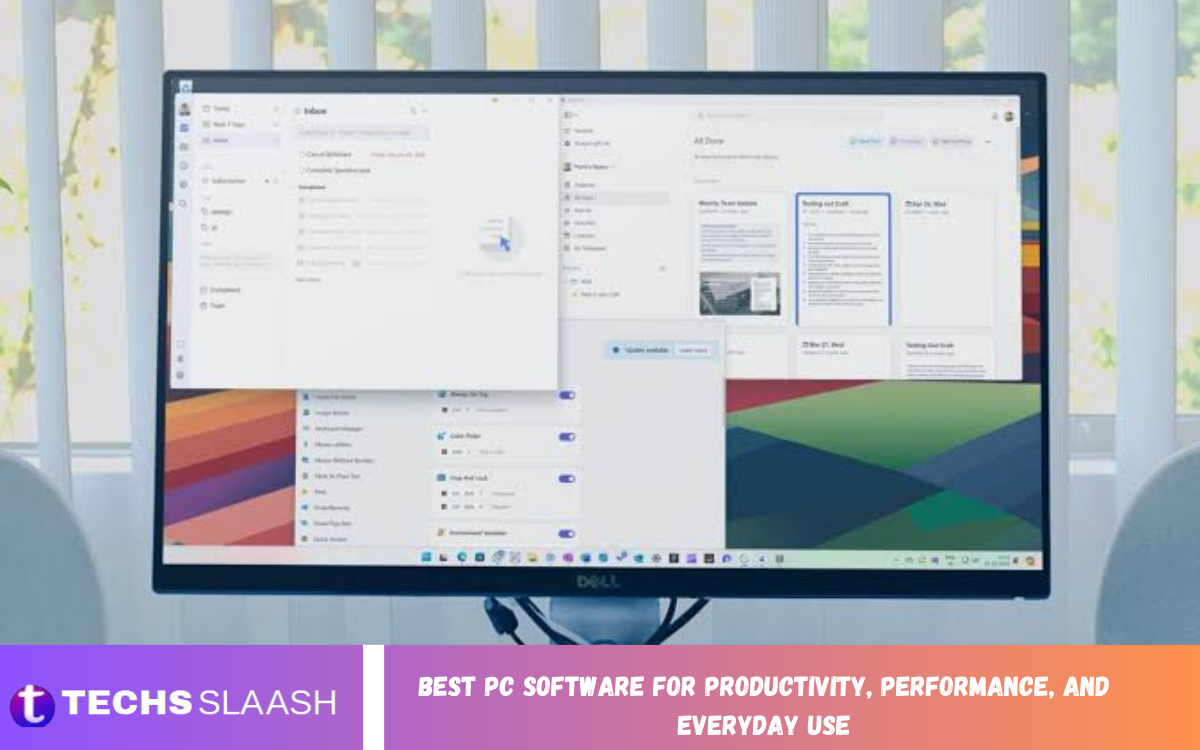
A modern PC can do far more than browsing the internet or creating documents. The right software can improve productivity, organize files, enhance system performance, protect personal information, and make everyday computer tasks much easier.
Choosing the Best PC Software for Productivity, Performance, and Everyday Use does not always mean installing dozens of programs. A carefully selected collection of reliable applications can provide everything most users need, from office work and cloud storage to media playback, file compression, system customization, and maintenance.
Microsoft 365 for Complete Productivity
Microsoft 365 remains one of the strongest choices for users who regularly create documents, spreadsheets, presentations, emails, and other professional content. Applications such as Word, Excel, PowerPoint, and Outlook provide a complete working environment for students, professionals, businesses, and home users.
Its connected ecosystem is particularly useful for people who work across multiple devices. Microsoft also provides Windows-focused productivity features that make it easier to access files, calendars, contacts, and other work-related information without constantly switching between applications.
LibreOffice for Free Office Work
LibreOffice is an excellent option for users who want powerful office software without committing to a paid subscription. It includes applications for word processing, spreadsheets, presentations, drawings, and other common office requirements, making it suitable for everyday productivity.
One of its biggest advantages is offline functionality. Users can create and edit files directly on their PC without depending on an internet connection, which makes LibreOffice especially useful for students, home users, and people who prefer traditional desktop software.
Microsoft OneDrive for File Backup
Cloud storage has become an important part of everyday computing because important documents, photographs, and other files can be difficult to replace. OneDrive provides cloud synchronization and backup capabilities while allowing users to access their files from supported devices.
A well-organized cloud storage system can also reduce the risk of losing important files because of hardware problems. Instead of keeping everything on a single drive, users can maintain synchronized copies and access their information when needed.
Microsoft PowerToys for Windows Productivity
Microsoft PowerToys is particularly valuable for users who want to get more from Windows. Its collection of utilities can improve window management, searching, keyboard workflows, file renaming, and other repetitive tasks that normally require several steps.
For professionals and power users, small improvements can save considerable time over the course of a working day. Features such as advanced window layouts and quick launching can make multitasking more comfortable and help keep a busy desktop organized.
7-Zip for File Compression
7-Zip is one of the most useful utilities for handling compressed files. It supports popular archive formats and can create compressed archives when users need to reduce file sizes or package multiple files together.
The software is also free and open source, making it a practical choice for everyday file management. Windows already handles several common archive formats, but a dedicated compression utility remains useful when working with different archive types or advanced compression requirements.
VLC Media Player for Everyday Entertainment
A PC is often used for entertainment as well as work, making a dependable media player an important addition. VLC Media Player is widely recognized for its broad media format support and straightforward interface.
Instead of installing separate players for different types of video and audio files, users can rely on one versatile application for many everyday playback requirements. It is particularly convenient for people who regularly watch downloaded videos or listen to locally stored music.
Google Chrome and Microsoft Edge for Browsing
A reliable web browser is essential for modern computer users. Google Chrome provides a large extension ecosystem and synchronization features, while Microsoft Edge offers strong integration with Windows and Microsoft services.
The best browser depends on personal preference and workflow rather than simply choosing the most popular option. Users should consider performance, privacy controls, extensions, synchronization, battery usage, and compatibility with the websites and services they use every day.
Malwarebytes for Additional Security
Security software should be an important part of every PC setup. Malwarebytes is a well-known security application that can provide additional protection against unwanted software and suspicious threats.
However, installing security software should not replace safe browsing habits. Users should keep Windows and applications updated, avoid suspicious downloads, use strong passwords, and carefully examine unexpected attachments or links before opening them.
Bitwarden for Password Management
Managing multiple passwords manually can be difficult and can encourage people to reuse simple passwords. A password manager such as Bitwarden can help users organize their login credentials and generate stronger passwords.
Password managers can make everyday online activity more convenient because users do not need to memorize every individual password. A strong master password and appropriate account security should still be used to protect the password manager itself.
Everything for Fast File Searching
Finding a file on a busy computer can sometimes take longer than creating the file itself. Everything is a lightweight search utility designed to help users locate files quickly by searching filenames across connected storage.
It can be particularly useful for people who manage large collections of documents, images, videos, downloads, and project folders. Better file searching can improve productivity because less time is wasted manually opening folders and remembering where information was saved.
Read Also: Android vs. iPhone: Which Smartphone Is Better for You
GIMP for Image Editing
GIMP is a strong choice for users who need image editing capabilities without purchasing expensive professional software. It provides tools for editing photographs, creating graphics, adjusting images, and working with different image formats.
For bloggers, students, designers, and casual creators, GIMP can handle many common editing requirements. Its extensive feature set also makes it useful for users who want to develop more advanced image-editing skills over time.
Audacity for Audio Editing
Audacity is a practical desktop application for recording and editing audio. It can be useful for podcasts, voice recordings, educational projects, music-related tasks, and simple audio cleanup.
Its desktop-focused workflow gives users control over recordings without requiring a complicated professional production environment. Anyone who frequently works with voice or audio files can benefit from keeping a capable editor installed.
CCleaner and PC Maintenance Tools
Keeping a computer organized can contribute to a smoother everyday experience. Maintenance utilities can help users review unnecessary files, manage applications, and identify areas that require attention.
However, users should avoid aggressive registry-cleaning or optimization practices simply because an application recommends them. Regular Windows updates, sufficient storage space, sensible startup management, and hardware maintenance are generally more important for maintaining a healthy PC.
Notepad++ for Fast Text Editing
Notepad++ is a useful text editor for users who need something more capable than a basic text application. It is especially helpful for editing configuration files, notes, scripts, HTML, CSS, and other plain-text content.
Its lightweight design makes it suitable for quick editing tasks where opening a large office application would be unnecessary. Developers, students, writers, and technical users can all benefit from having a fast text editor available.
Canva for Simple Graphic Design
Canva is useful for people who need to create attractive graphics without advanced design experience. It can help users prepare social media graphics, presentations, banners, thumbnails, posters, and other visual content.
Its template-driven approach reduces the time required to create professional-looking designs. For bloggers and small businesses, a simple design platform can make routine content creation considerably faster.
Choosing Software Based on Your Needs
The best PC software collection should match the way you use your computer. A student may prioritize office applications, cloud storage, PDF tools, browsers, and note-taking software, while a professional may require communication, project management, security, and specialized business applications.
There is no benefit in installing every popular program. Too many unnecessary applications can consume storage, create background processes, generate notifications, and make the system harder to manage. A smaller collection of dependable software is usually a better approach.
How to Improve PC Performance With Software
Software alone cannot transform weak hardware into a powerful computer, but proper application management can make a noticeable difference. Removing unused programs, limiting unnecessary startup applications, maintaining free storage space, and keeping important software updated can improve the overall experience.
Users should also avoid installing unknown optimization programs that promise dramatic performance improvements. Reliable maintenance practices are generally safer than aggressive system modifications, especially when important files and applications are stored on the computer.
Best Free PC Software for Everyday Users
Users on a limited budget can still build an impressive PC software collection. LibreOffice can cover office work, VLC can handle media playback, 7-Zip can manage archives, GIMP can support image editing, and Notepad++ can handle advanced text-editing tasks.
Free software can be especially valuable for students and home users who do not require enterprise-level features. The key is to choose established applications from trustworthy sources and keep them updated rather than downloading unknown alternatives simply because they are advertised as free.
Building the Ideal PC Software Setup
A balanced PC setup should cover several important areas: productivity, security, file management, communication, entertainment, and maintenance. Start with essential applications and add specialized tools only when a genuine need appears.
The Best PC Software for Productivity, Performance, and Everyday Use is ultimately the software that makes your individual workflow simpler. A carefully selected setup can reduce repetitive work, organize information, protect important files, and make everyday computing more enjoyable.
Frequently Asked Questions
What is the best PC software for productivity?
Microsoft 365 is an excellent productivity choice for users who regularly work with documents, spreadsheets, presentations, email, and calendars. LibreOffice is a strong free alternative for users who primarily need offline office tools.
Which free software should I install on a new PC?
Useful choices include LibreOffice, 7-Zip, VLC Media Player, GIMP, Notepad++, and other established applications that match your needs. You do not need to install all of them if your daily activities do not require their features.
What software can improve PC performance?
Performance is usually improved through good system management rather than one magic application. Removing unnecessary programs, controlling startup applications, keeping adequate storage space available, and installing updates can help maintain a responsive computer.
Is Microsoft 365 worth using?
Microsoft 365 can be worthwhile for users who need advanced office features, cloud integration, collaboration, and professional productivity tools. Users with basic document and spreadsheet requirements may prefer a free office suite instead.
Is LibreOffice completely free?
LibreOffice is a free and open-source office suite that provides tools for documents, spreadsheets, presentations, and other office tasks. It is particularly useful for users who prefer working locally without depending on a subscription.
What is the best software for opening ZIP files?
Windows can handle common ZIP files, but 7-Zip is a useful dedicated archive manager for users who frequently work with compressed files. It supports a broad range of archive formats and offers additional compression options.
Which media player is best for PC?
VLC Media Player is a strong general-purpose option because it supports many common audio and video formats. It is suitable for users who want one application for a wide variety of local media files.
Do I need third-party antivirus software?
The answer depends on your security requirements and computing habits. Windows already provides built-in security features, while reputable third-party security applications can provide additional tools and scanning capabilities.
How many programs should I install on my PC?
There is no fixed number that works for everyone. Install the applications you actually need and remove programs that you no longer use, especially software that runs unnecessarily in the background.
What is the most important software for a new PC?
A new PC should have essential productivity software, a reliable browser, security protection, file-management tools, and a backup solution. From there, additional software should be selected according to your work, education, entertainment, and personal requirements.
Conclusion
The right software can turn an ordinary PC into a highly capable workstation for work, study, communication, entertainment, and everyday tasks. Applications such as Microsoft 365, LibreOffice, OneDrive, PowerToys, 7-Zip, VLC, GIMP, Notepad++, and password-management tools can cover a wide range of practical needs.
The Best PC Software for Productivity, Performance, and Everyday Use is not necessarily the largest collection of applications.

1 Comment
Pingback: Best Free Software for PC - Techsslaash.com